
Reviews

Social


🌱 Your Feed Just Got More Alive. Literally
Mirror App Team
June 18, 2026
Videos in your widget now play automatically 🎉
When a visitor scrolls to the widget on your site, videos start playing on their own. Reels, clips, LinkedIn videos — everything kicks in the moment the feed comes into view.
It's called Video Autoplay. It's one toggle.
📍 Where It Works
Video Autoplay is available for:
- Instagram Feed
- Facebook Feed
- LinkedIn Feed
- Social Feed
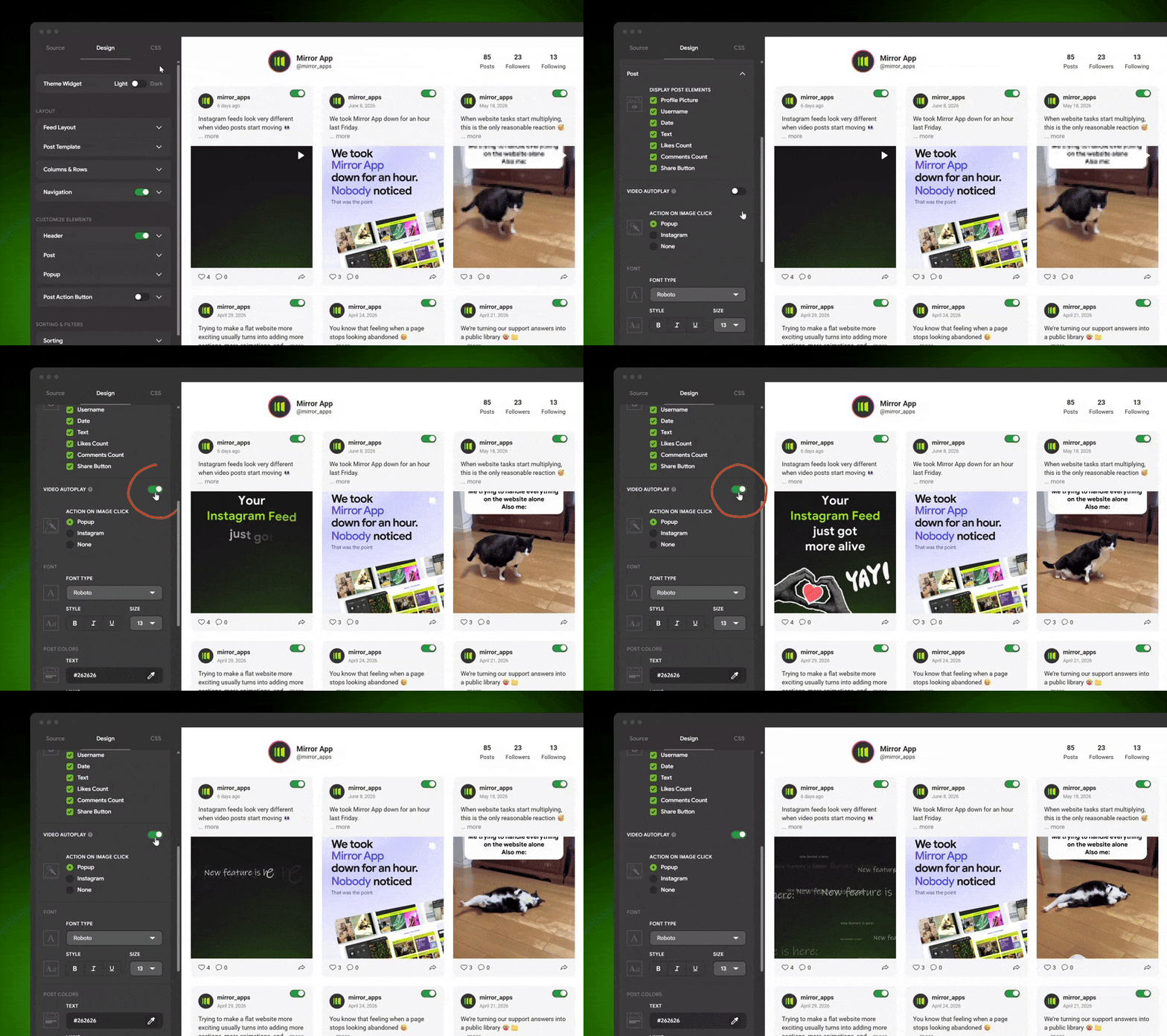
🛠️ How to Turn It On
- Open your widget editor
- Go to Design → Post section
- Enable the Video Autoplay toggle.
One thing that's easy to miss: don't forget to hit Publish. Changes only go live on your site after publishing — it's easy to overlook when you're adjusting settings inside the editor 😅
☝️ Why It Matters
A static feed asks visitors to stop and look.
A feed with autoplay doesn't wait for that decision — it starts telling the story on its own.
A feed with autoplay doesn't wait for that decision — it starts telling the story on its own.
If your brand publishes Reels, video content, or LinkedIn clips, this changes how the widget feels on your site.
Less gallery, more presence.
🚀 Turn it on, hit Publish — and see the difference
Did You Like This Article?
Other Articles

Shopify Apps
New!
New!



Reviews
social
